
Smart routing across venues is in beta. On routed markets you’ll see a comparison of every venue in the trade drawer. On non-routed markets, Pear picks the venue with the deepest liquidity for that market. Either way, the cost rundown shows you exactly what you’ll pay before you confirm.
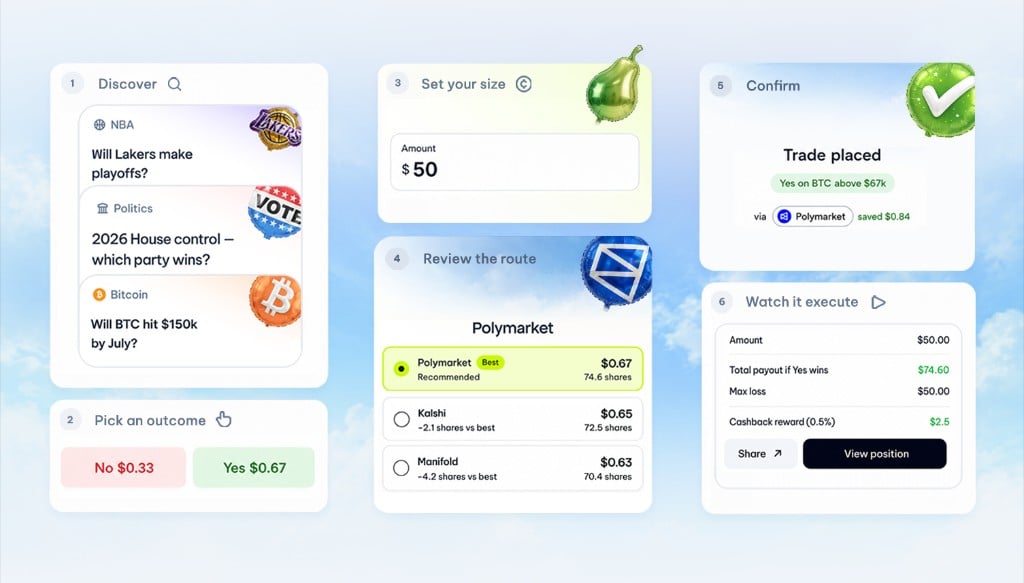
The trade flow
1
Discover
Open the Discover tab to browse trending markets, or hit Search to find a specific event. Markets are grouped by event (e.g. “2026 Midterms” with multiple seat markets) so you can compare related contracts side-by-side.
2
Pick an outcome
On the market detail page, tap the Yes or No outcome you want to trade. The trade drawer slides up.
3
Set your size
Type a USD amount. Pear immediately fetches a cost rundown: the live price, fees, and any slippage on your size from the venue (or venues, on routed markets).
4
Review the route (beta)
On routed markets, tap the routing row to see which venues were considered, what each one quoted, and why Pear picked the one it did. You can override the choice if you want a specific venue.
5
Confirm
The confirmation drawer shows the venue, price, total cost, expected payout, and breakeven. Tap Confirm to send the order.
6
Watch it execute
Pear streams execution events live (
order_placed, partial_fill, filled) so you see the order land in real time. Final state shows the fee, your cashback credit, and a link to the position.What’s in the cost rundown
The cost rundown is what you see before every trade. It shows you, before you commit: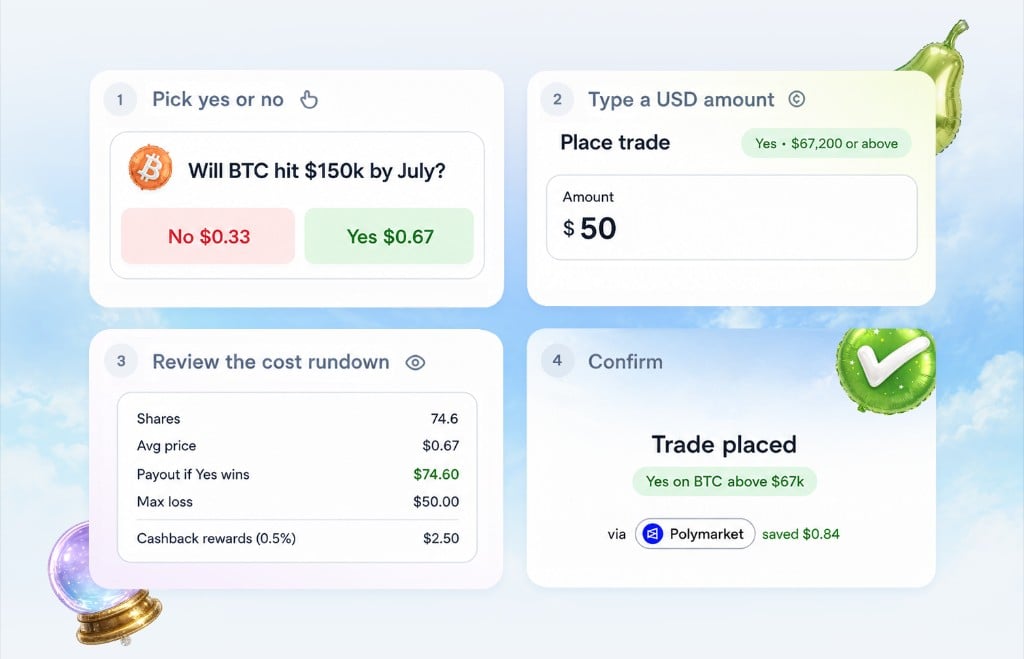
Closing a position
Closing works the same way as opening. Open Portfolio, tap a position, and tap Close. The drawer shows live exit pricing and the realized P&L you’ll book. On routed markets, the exit goes through the same beta routing layer as the entry.Order types
For MVP, Pear supports market orders. Limit orders, stop orders, and conditional triggers are on the roadmap. Smart routing for market orders is in beta and rolling out market by market.Keep reading: Overview · Portfolio · FAQ